Mark
Annotate your PDF prints and measure footage from a calibrated scale.
Mark up prints, capture footage and photo evidence, and turn reviewed field work into as-builts and invoices.
Load your project online. Record marks, photos and form drafts offline; sync when coverage returns. Trial accounts are provisioned during onboarding.
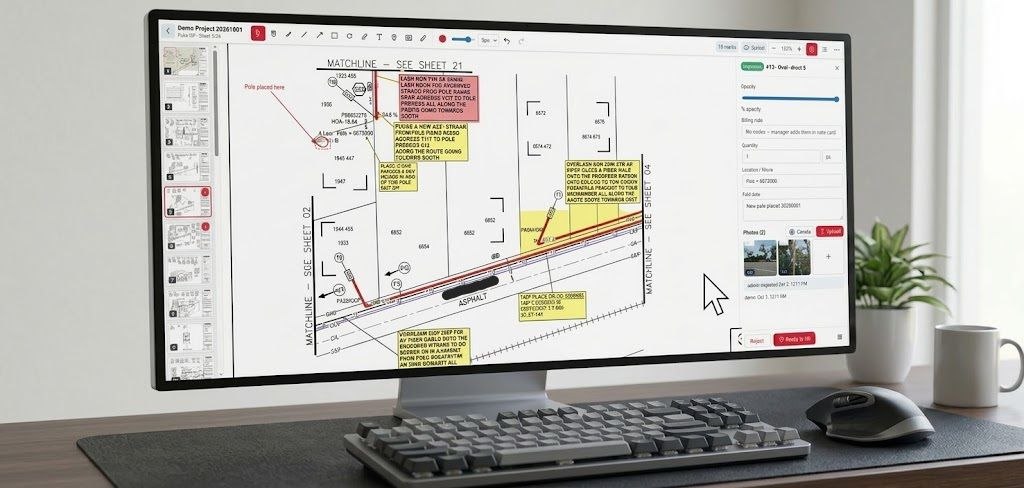
Keep drawings, production quantities and supporting records together instead of rebuilding the story from texts, paper prints and spreadsheets.
Annotate your PDF prints and measure footage from a calibrated scale.
Attach photo evidence and complete bore logs, labor records and fiber sequentials.
Inspect submitted work, return corrections and prepare approved quantities.
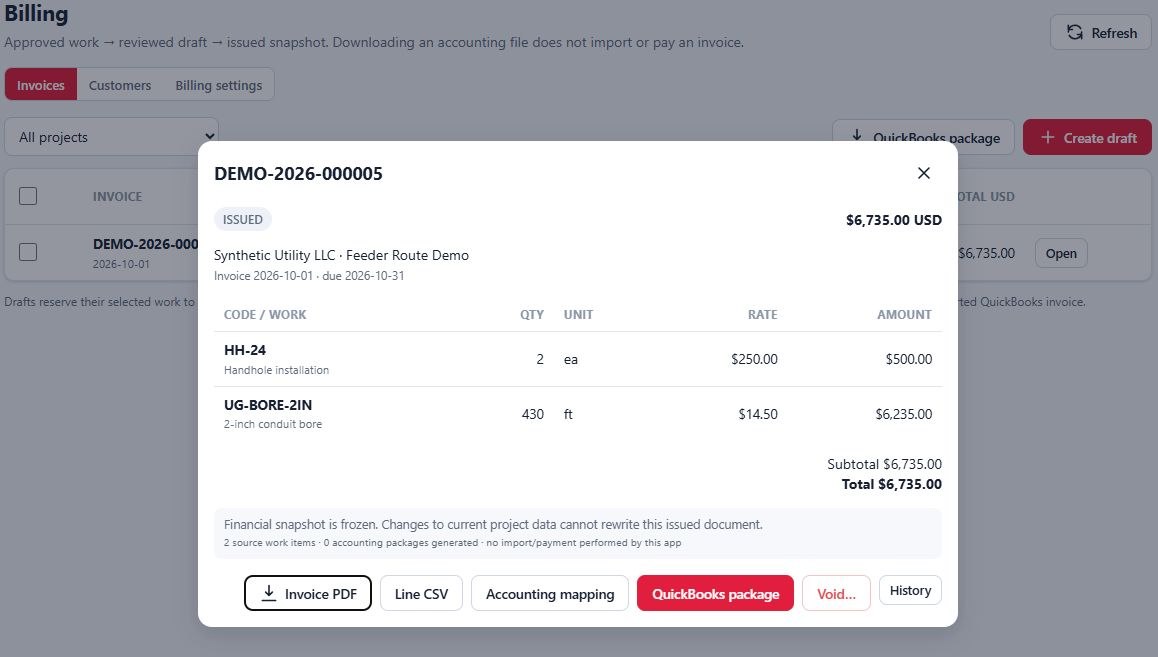
Issue a frozen invoice snapshot without billing the same work twice.
Export as-builts or publish selected documents through read-only customer access.
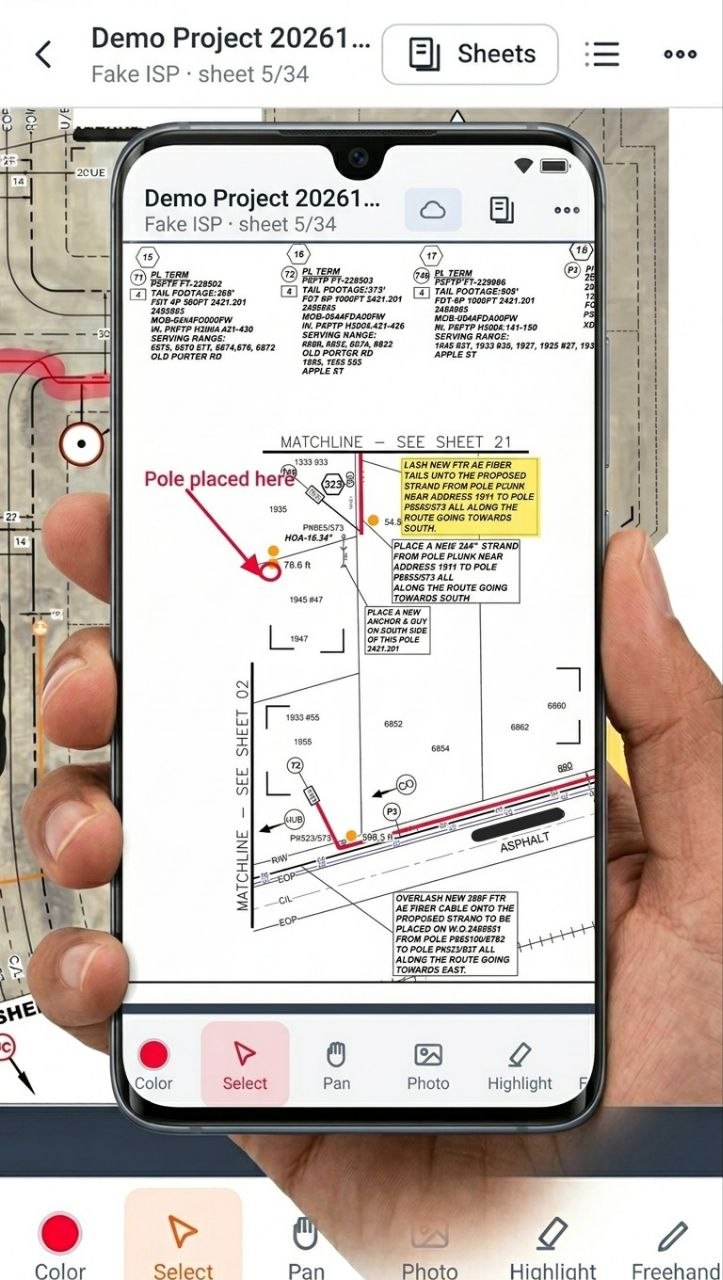
A light, high-contrast workspace with mobile navigation and tools that return to Select after placement to eliminate stray pocket marks.
Review submitted work against pay items, inspect field production, and manage billing readiness without exposing rates to the field.
Managers choose what customers see. Internal drafts, field notes and rate cards stay private.
Export a marked-up PDF with a numbered work schedule and optional photo evidence. Reviewed quantities can become issued invoices with preserved snapshots.
QuickBooks Online export packages include a conservative import file, detailed companion data and instructions. This is a file export—not live accounting sync. Validate a sample against your edition before relying on an import.
Each package includes the core field-to-invoice workflow, offline field recording, company branding and PDF/XLSX/CSV exports. Packages differ in account allowances and onboarding/support scope.
Billed annually
Billed annually
Billed annually
Unlimited projects within agreed storage/service terms. Customer-recipient allowances are confirmed during onboarding. More than 25 field users or isolated hosting? Ask for a scoped fleet proposal.
Project files are delivered through authenticated access—not public bucket links. Customer sharing is an explicit manager action.
Encrypted backups and independent recovery copies protect the deployed client system. Backup procedures are documented and verified.
Export project records and documentation in standard formats. Issued financial history is preserved rather than rewritten by later edits.
Yes. Request a 14-day field trial. We provision your company and accounts during onboarding, help load your first project and walk through the workflow on your own devices. The hero image is an illustrative product mockup, not a project screenshot.
Sign in and load the project while online first. Marks, photos and form drafts can be recorded without coverage and queued for synchronization. Sign-in, setup, recalibration, review/billing actions, server exports and customer access require a connection. Browser storage behavior varies by device; do not clear site data while work is unsynced.
The responsive PWA runs in current desktop and mobile browsers and can be added to the home screen. Camera capture, storage and available EXIF GPS metadata depend on the device. We validate the trial on your hardware; GPS metadata is not guaranteed for every image.
Issued-invoice snapshots generate a ZIP with a native-basic QuickBooks Online CSV, detailed lines and import instructions. Packages respect invoice/row limits. Sales-tax-enabled destinations and taxed invoices are not supported by that basic profile. It is not automatic synchronization or payment tracking. QuickBooks Desktop requires separate validation.
Only the projects and exact frozen documents a manager releases to their account: approved as-builts, issued invoices and selected photos. Managers can withdraw publications or revoke project access. Previously downloaded copies cannot be recalled.
Company branding, account setup, your first print set, project pay items/rates and a marking/calibration walkthrough. Larger fleet packages include dedicated onboarding. Standard forms cover bore stations, labor and fiber sequentials; matching a custom client form or integration needs separate scoping.
Yes. Contact us to agree an upgraded package and any prorated annual adjustment. Existing project records remain in the same company deployment; account allowances are changed by the platform owner.
Built by an OSP contractor for OSP contractors. Tell us about your crew and we’ll arrange a trial, walkthrough or fleet discussion.
Prefer email?
josh@handyhorner.com
Trial accounts are created during onboarding. This form does not create an account or take payment.